Chat with yourspreadsheets
in your browser!
Sheet AI is your intelligent spreadsheet assistant. Analyze data, automate tasks, and get instant insights — all through a simple chat in the Sheet AI dashboard.
Try Sheet AI FreeNo credit card required — Start chatting with your data today.
Smart bookkeeping powered by AI.
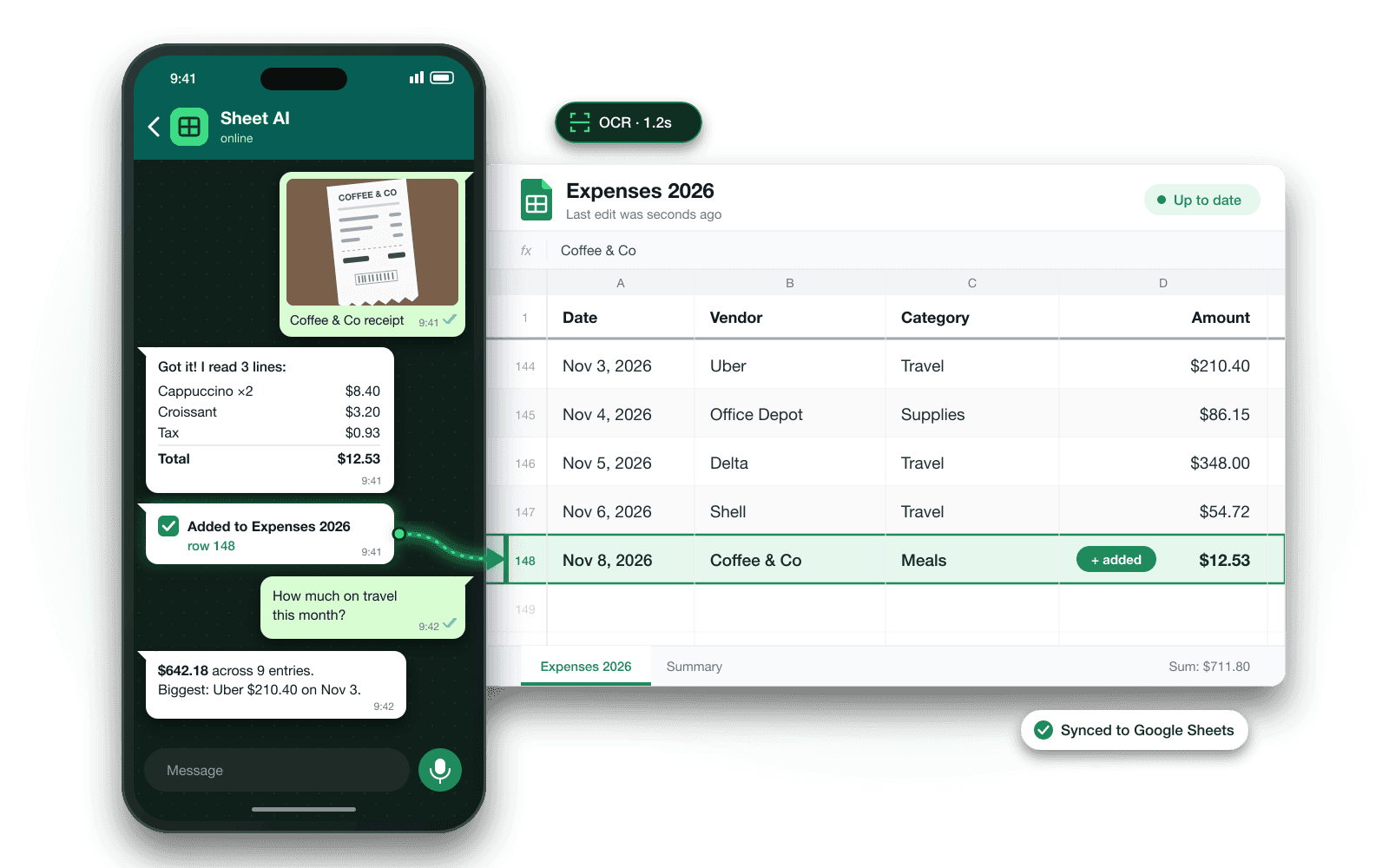
Chat from your dashboard, scan documents, and let Sheet AI handle your bookkeeping automatically.
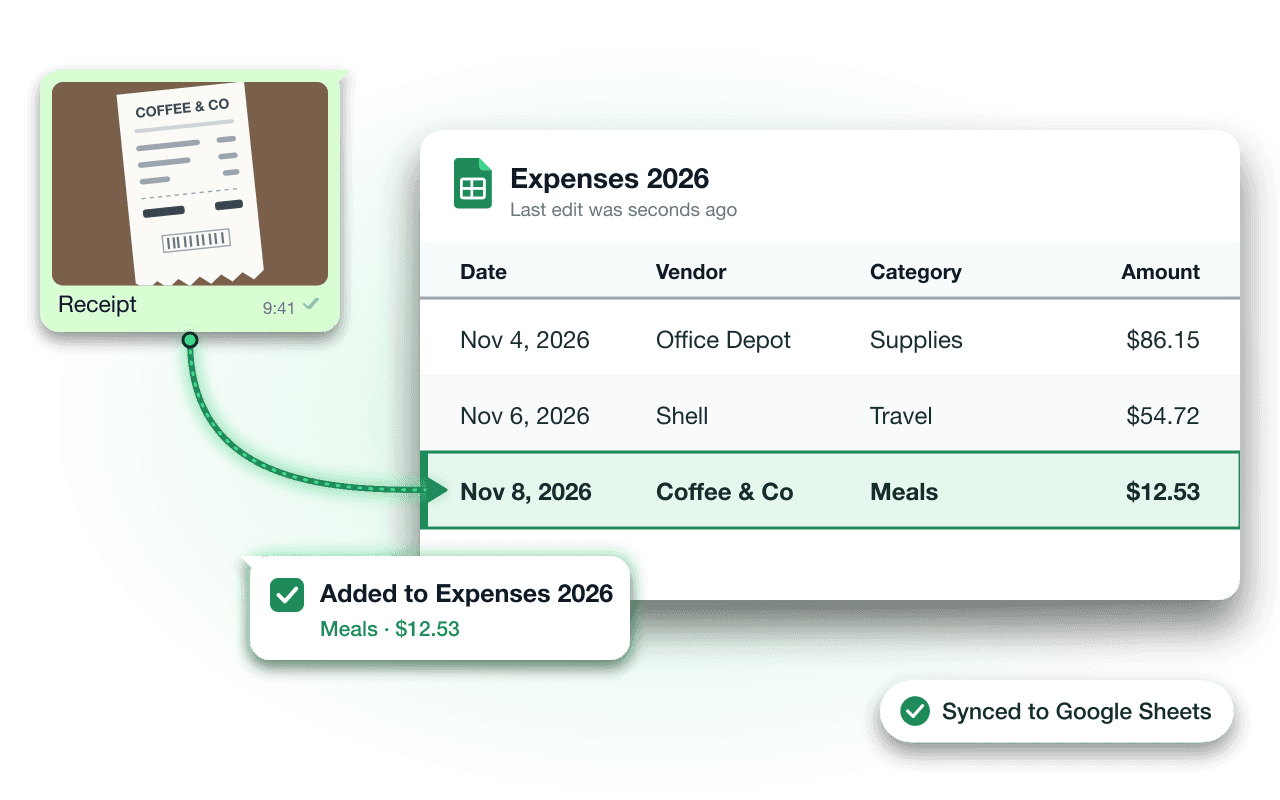
OCR-powered receipt scanning. Upload or send photos of receipts - even handwritten ones - and let Sheet AI extract and categorize the data automatically.
Try it now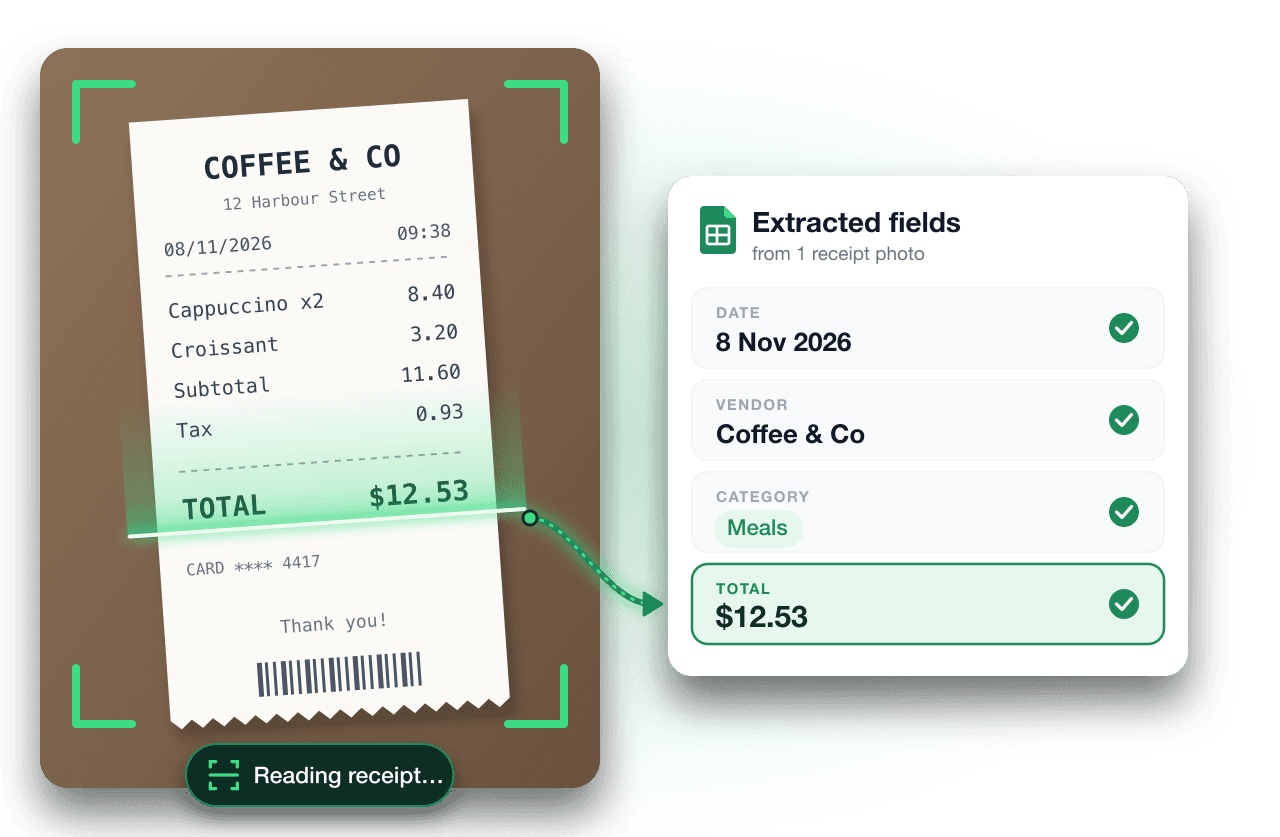
Dashboard Chat
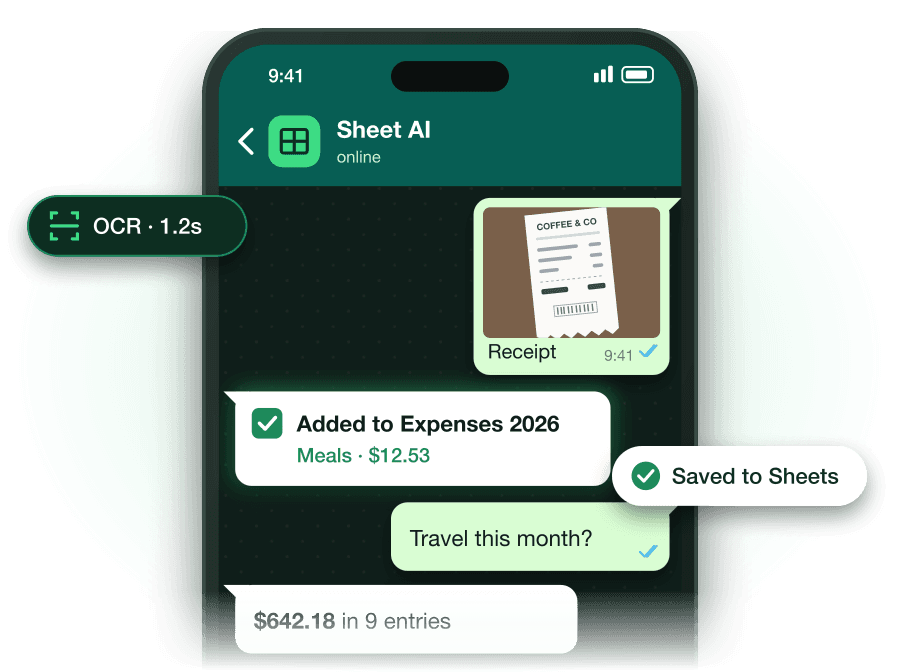
Chat with Sheet AI right in your dashboard. Add expenses, ask questions about your finances, and get instant responses.
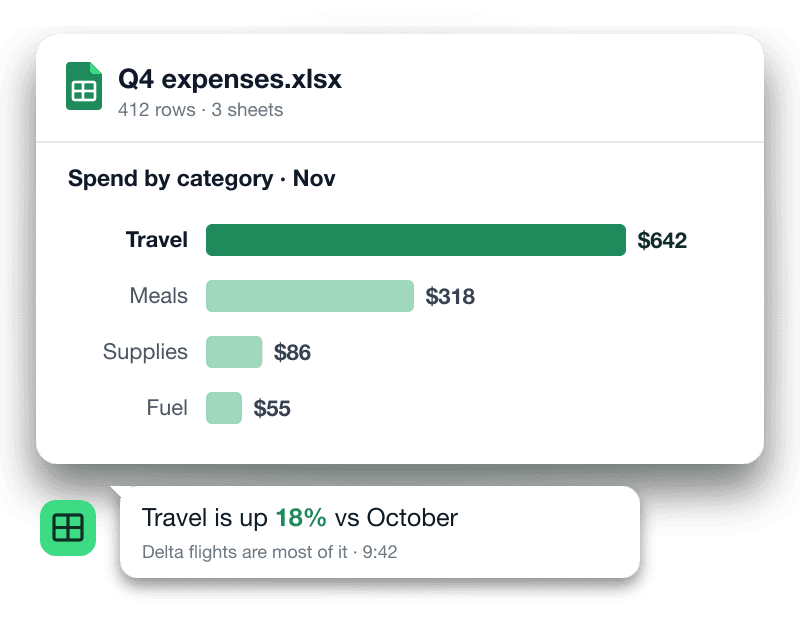
Excel Analysis
Advanced algorithms to read, analyze, and organize your Excel files. Get insights and automate financial reports.
Handwritten Receipt Recognition
Even handwritten receipts are no match for Sheet AI. Our OCR technology reads and processes them with high accuracy.
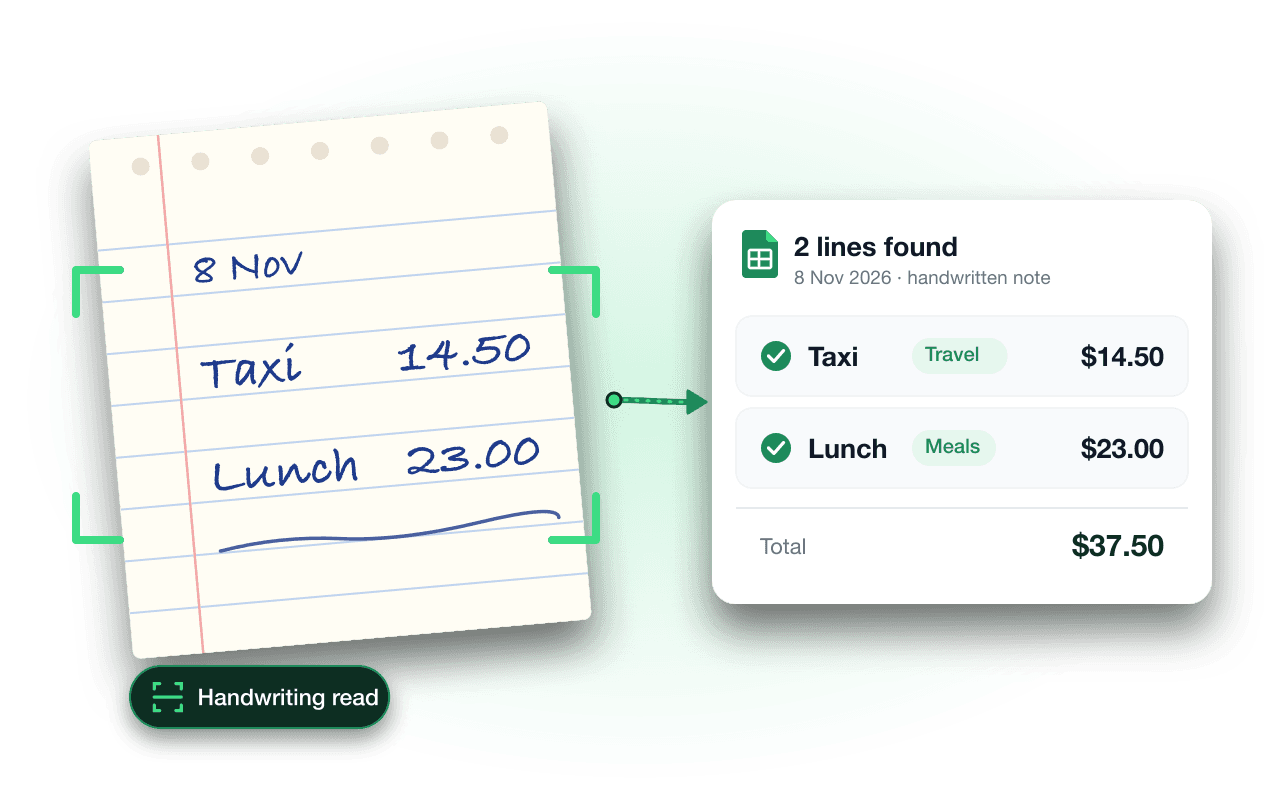


See it in action
Tell Sheet AI what you spent in the dashboard chat. It adds a row to your Google Sheet, and answers questions about your spending in plain language.
Try it free
- You:
receipt.jpg
Receipt – Coffee & Co
9:41 - Sheet AI:
Got it. Here is what I found:
- Cappuccino ×2$8.40
- Croissant$3.20
- Tax$0.93
- Total$12.53
Added to Expenses 2026 ✅ row 148
9:41 - You:
How much did I spend on travel this month?
9:42 - Sheet AI:
$642.18 across 9 entries. Biggest: Uber $210.40 on Nov 3.
9:42 - You:
Thanks!
9:43 - Sheet AI:
Anytime 👋
9:43
Start free. Pay for what you use.
Try Sheet AI free with no credit card. After that, pricing follows how much you actually use it. We have no fixed plans yet, so ask us if you need a quote.
Free to start
Everything you need to put receipts into your sheet.
Start freeTeams & accountants
Running books for several people or clients? Talk to us and we will set it up with you.
Talk to usFrequently Asked Questions
Get answers to common questions about Sheet AI and how it can help automate your bookkeeping tasks.
Still have a question?- Which of my Google Sheets can Sheet AI see?
Only the sheets you pick and the ones Sheet AI creates for you. We ask Google for the narrow drive.file permission, so the rest of your Google Drive stays invisible to us. To add a sheet, open Files in your dashboard and choose it in the Google picker.
- Is my data safe? What do you store?
When you send a receipt, Sheet AI reads it, pulls out the items, and writes them to your own Google Sheet, which stays in your Google Drive. We keep what we need to run your account, such as your name, email and usage balance. Our Privacy Policy has the details.
- Do I need a Google account?
Yes. You sign in with Google, and your expenses go into Google Sheets in your own Drive. Then you chat with Sheet AI from the dashboard.
- What does it cost?
It is free to start, no credit card needed. After that, you pay for what you use. We don't have fixed plans yet. If you need something for a team or for clients, contact us.
- Can it read handwritten receipts?
Usually, as long as the handwriting is clear and the photo is sharp. Sheet AI replies with the items and amounts it read, so you can check them before relying on the numbers.
- How do I delete my account or revoke access?
Delete your account from the Account page in your dashboard. To remove Sheet AI's access to your Google Drive, go to myaccount.google.com/connections and remove Sheet AI. Your spreadsheets stay in your Drive either way.